MuseumPlus for WordPress
MuseumPlus for WordPress
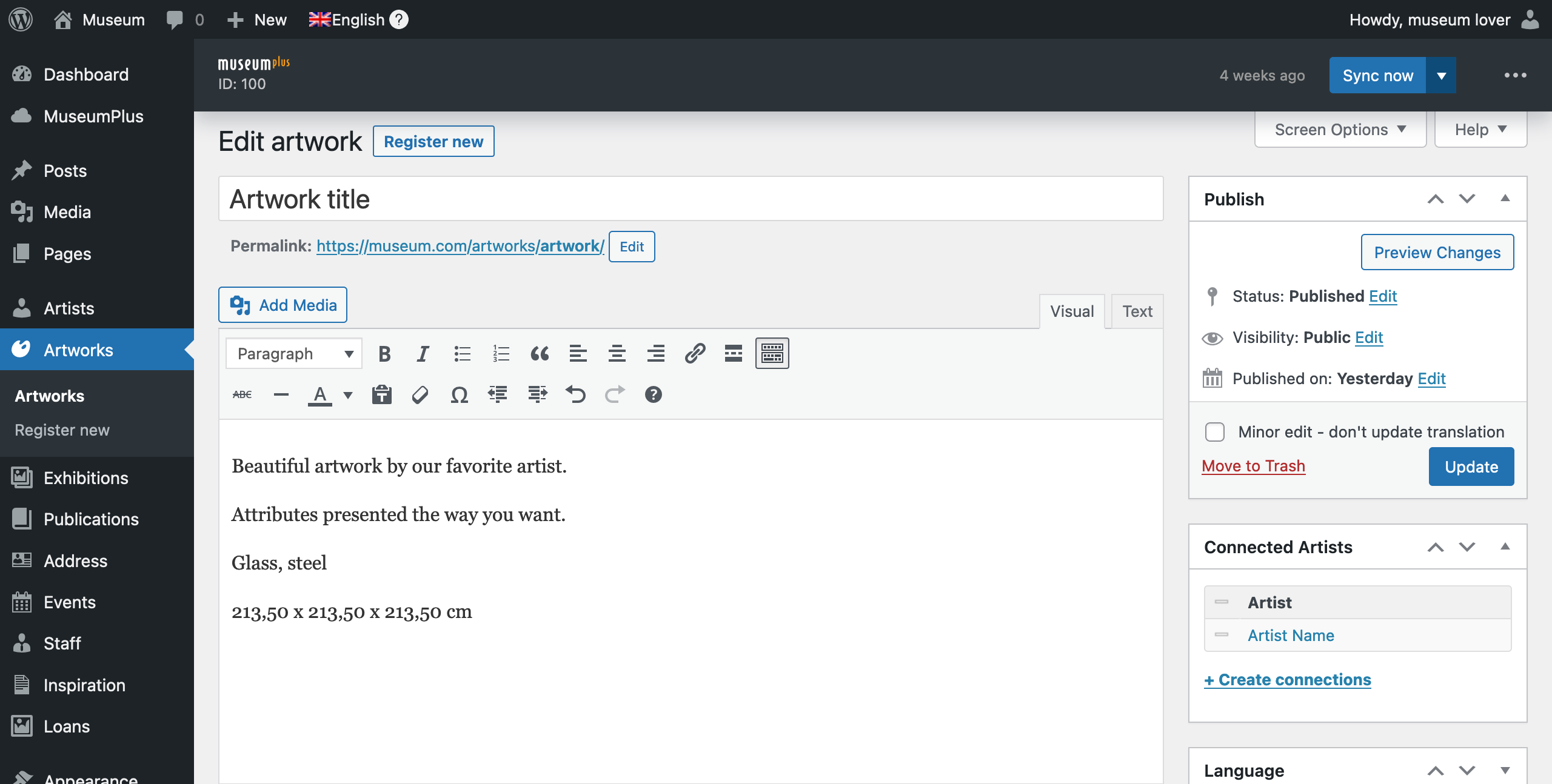
Sync your collection from Zetcom MuseumPlus into WordPress and present artworks, artists and exhibitions your way, on your own website.
In production at Magasin III
MuseumPlus for WordPress was built for Magasin III Museum for Contemporary Art in Stockholm, and has run their website for more than eight years.
The artworks, artists and exhibitions on magasin3.com are synced from their MuseumPlus database by the plugin and presented in the museum's own design.
Features
-
Stored in WordPress
Collection data is imported into custom post types in WordPress, not fetched live from the API. Pages load fast and keep working if MuseumPlus is unavailable.
-
Automatic sync
Changes in MuseumPlus are synced on a schedule, nightly or more often. A single item can also be resynced manually from its edit screen.
-
Choose what to sync
Select which modules to sync (artworks, artists, exhibitions, media) and which records, from specific IDs up to everything marked for web publication.
-
Relations kept in sync
Relations between artworks, artists, exhibitions and media follow MuseumPlus and are kept up to date.
-
Publication follows MuseumPlus
Only records flagged for web publication are published. Records withdrawn or deleted in MuseumPlus are taken down from the website again.
-
Images with alt text
Images are imported with alt text, so the collection is usable for visitors who rely on screen readers.
-
Editor-safe
Selected content edited in WordPress, such as a title or a hand-picked image, is kept and not overwritten by the next sync.
-
Custom presentation
Because the collection lives in WordPress, you present it with your own theme and templates, in your preferred way.
-
Admin dashboard and WP-CLI
Sync status, run history, failed items with retry and health checks in the WordPress admin. WP-CLI commands for developers.
-
Multilingual
Content in several languages is imported as one post per language using WPML.
Adapted to your MuseumPlus
No two MuseumPlus instances are configured the same way. Custom fields, vocabularies and the way web publication is flagged differ from museum to museum.
That is why every installation includes adapting the field mapping to your instance. The plugin brings your collection data into WordPress. The design and templates that present it on your website are not included, and are quoted separately.
Why?
This plugin is for museums that want a custom presentation of their collection on their own WordPress website.
WordPress is the most widely used web platform and a solid choice for organisations of every size.
With the collection integrated in your website, you present it the way you want, and your visitors explore it without leaving your site.
It also helps with search engines. Artworks, artists and exhibitions are pages on your own domain, which makes your whole website more valuable.
And you stay in control of how your collection is presented.
Pricing
The plugin is priced as a one-time setup fee plus a yearly license.
- Setup fee (one-time): installation and adaptation to your MuseumPlus instance.
- Yearly license: support, updates and continued development.
Website design and build are not included. Tell us about your setup and collection size, and we send you a concrete quote.
Frequently asked questions
Is it a true sync or a one-time import?
A true sync. Changes in MuseumPlus are picked up on a schedule, nightly or more often, and a single item can be resynced manually at any time. Records withdrawn or deleted in MuseumPlus are taken down from the website.
Can data be changed in WordPress?
Yes, selected content. A title or a hand-picked image, for example, can be edited in WordPress and is kept when the next sync runs. Other synced data is updated from MuseumPlus.
Is content stored in WordPress or loaded live?
It is stored in WordPress. Pages are served from your own website, so they are fast and keep working if MuseumPlus is unavailable.
Can we sync only part of the collection?
Yes. You choose which modules to sync (artworks, artists, exhibitions, media) and which records, from specific IDs up to everything marked for web publication.
Does it work with a shared or regional MuseumPlus database?
It depends on how that database separates the institutions, and on what the API account is allowed to access. We check both with you before we give you a quote.
What does it cost?
A one-time setup fee, which covers installation and adaptation to your MuseumPlus instance, plus a yearly license, which covers support, updates and development. Tell us about your setup and collection size, and you get a concrete quote.
Is the website itself included?
No. The plugin is quoted separately from website design and build.
What is MuseumPlus?
MuseumPlus is a web-based museum management platform by Zetcom.
MuseumPlus supports the complex needs of museums. The comprehensive, flexible standard application provides real-time museum management and fully documents any type of collection and all related workflows.


By Orangelab
The plugin was built for Magasin III and has been developed over more than eight years in close collaboration with the museum.
It is actively developed and supported by Orangelab, a third-party developer in Sweden.
Get in touch
Email us about your MuseumPlus setup and the size of your collection, and we will send you a concrete quote.
Rickard Westerlind, Orangelab
Email: rickard@orangelab.com